Table of Contents >> Show >> Hide
- Why Rain Happens in Minecraft
- How to Stop Rain in Minecraft: 7 Steps
- Step 1: Make Sure Commands or Cheats Are Available
- Step 2: Open the Chat Window or Server Console
- Step 3: Type the Clear Weather Command
- Step 4: Use a Longer Duration If You Want More Sunny Time
- Step 5: Turn Off the Weather Cycle for Permanent Clear Skies
- Step 6: Check Your Settings If the Command Does Not Work
- Step 7: Turn Rain Back On When You Need It
- Quick Command Cheat Sheet
- Java Edition vs. Bedrock Edition: What Changes?
- Can You Stop Rain Without Cheats?
- Why Stop Rain in Minecraft?
- Common Mistakes When Trying to Stop Rain
- Best Setup for Builders and Content Creators
- Experiences From Real Minecraft Rain Control
- Conclusion
Rain in Minecraft can be charming for about twelve seconds. Then your bright survival base turns gray, your screenshots look like they were taken through a wet sock, hostile mobs get extra moody, and your outdoor build session suddenly feels like a soggy camping trip. The good news is that you do not have to stand there, dramatically staring into the clouds like a blocky weather reporter. You can stop rain in Minecraft quickly with the right command.
This guide explains how to stop rain in Minecraft in 7 simple steps, including the instant command, the long-term gamerule method, and common fixes when the command does not work. Whether you play Java Edition, Bedrock Edition, single-player, multiplayer, Creative, Survival, or on a server, the main idea is simple: use /weather clear to make the sky behave, then use /gamerule doWeatherCycle false if you want the sunshine to stick around.
Note: Weather commands usually require cheats, operator permissions, or command access. In some versions, especially Bedrock Edition, enabling cheats may affect achievements for that world, so check your settings before you flip the switch.
Why Rain Happens in Minecraft
Minecraft has a natural weather cycle. At random intervals, the game may switch from clear weather to rain or thunder. In cold biomes, rain can appear as snow, and thunderstorms can become dramatic enough to make your peaceful cottage feel like the opening scene of a fantasy disaster movie.
Rain is not only visual. It can put out fires, affect mob behavior, darken the sky, and change the mood of your world. Thunderstorms are even more intense because lightning can strike, skeleton horses can appear, and hostile mobs may spawn more easily because the sky becomes darker. For players building outdoors, recording videos, taking screenshots, or trying to keep visibility high, rainy weather can be more annoying than stepping on a pressure plate you absolutely did not place.
Thankfully, Minecraft gives players several ways to control the weather. The fastest method is a chat command. The more permanent method is changing the weather cycle gamerule. Both are easy once you know where to type them.
How to Stop Rain in Minecraft: 7 Steps
Step 1: Make Sure Commands or Cheats Are Available
Before you can stop rain in Minecraft, you need permission to use commands. In a single-player world, this usually means cheats must be enabled. In Creative worlds, commands are often available by default depending on how the world was created. In Survival, you may need to enable cheats manually.
In Minecraft Java Edition, if cheats were not enabled when the world was created, you can temporarily allow them by opening the pause menu, selecting Open to LAN, turning Allow Cheats on, and starting the LAN world. This gives you command access for that session.
In Minecraft Bedrock Edition, open the world settings and look for the Activate Cheats option. Be careful: enabling cheats in Bedrock can disable achievements for that world. If you care about achievements, think twice before trading them for clear skies. The clouds may be annoying, but lost achievements can sting like a creeper in a storage room.
On a multiplayer server, you need operator status or the right permission level. If you are not the server owner or an operator, the command may not work. In that case, ask an admin to run the weather command or give you the proper permission.
Step 2: Open the Chat Window or Server Console
Once commands are available, open the chat window. On PC, the default key is usually T or /. Pressing the slash key is handy because it automatically begins a command. On consoles and mobile devices, open the chat and commands interface from the on-screen controls or pause menu.
If you are managing a Minecraft server, you may also be able to type the command directly into the server console. In many server consoles, you do not need to include the slash. In-game, however, use the slash at the beginning of the command.
Step 3: Type the Clear Weather Command
To stop rain immediately, type this command:
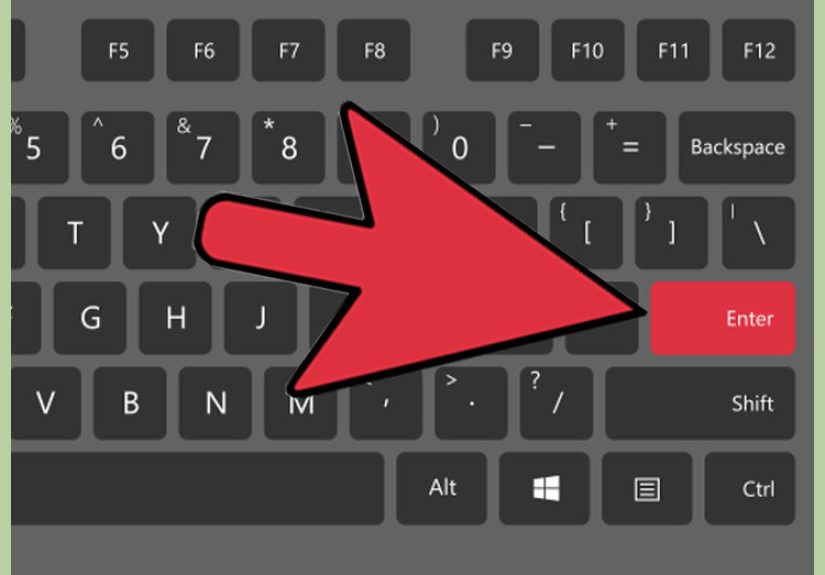
Then press Enter. Within a moment, the rain should stop, the clouds should clear, and your world should return to its regularly scheduled blocky sunshine.
This command works for rain and thunderstorms. If it is snowing in a cold biome, clear weather will also stop the snowfall. The game treats snow as the cold-biome version of rain, so you do not need a separate snow-removal command.
You may also see versions of the command that include a duration after it, such as:
The duration controls how long the weather stays clear, but exact duration behavior can vary by edition and version. If you only want the rain gone right now, use the simple command first. It is clean, quick, and less likely to make you argue with syntax while your roof leaks emotionally.
Step 4: Use a Longer Duration If You Want More Sunny Time
If your edition supports a duration value, adding one can keep the weather clear for longer. This is helpful when you are building, recording, exploring, or trying to finish a large project without constant drizzle.
For many players, a command like this is enough:
That tells Minecraft to keep the weather clear for a long stretch. However, if your version rejects the number, do not panic. Command syntax has changed in some versions, and different editions may handle durations differently. The safest universal command remains:
If you want a truly permanent solution, do not rely only on duration. Use the gamerule method in the next step.
Step 5: Turn Off the Weather Cycle for Permanent Clear Skies
If the rain keeps coming back like it pays rent in your world, you need to stop the natural weather cycle. First, clear the current rain:
Then run this gamerule command:
This tells Minecraft not to change the weather naturally. If the sky is clear when you run it, the sky should stay clear. This is the best way to stop rain permanently in a creative build world, a showcase map, a roleplay server, or any world where sunshine is part of the design.
There is one important detail: doWeatherCycle false freezes the current weather. If you run it while it is raining, the game may keep the rainy weather locked in place. That is why the smart order is:
/weather clear/gamerule doWeatherCycle false
Clear first, freeze second. It is the Minecraft version of cleaning the room before taking the photo.
Step 6: Check Your Settings If the Command Does Not Work
If Minecraft says you do not have permission, the issue is usually cheats, operator status, or server permissions. In single-player, check that cheats are enabled. In multiplayer, ask whether you have operator access. On hosted servers, confirm that commands are allowed in the control panel.
If the command does nothing, check your spelling. Minecraft commands are not emotionally flexible. Use:
Do not type /weather sunny, /stoprain, /rain go away please, or any other reasonable but sadly imaginary command. Minecraft is powerful, but it is not impressed by polite weather requests.
If you are using command blocks, make sure command blocks are enabled on the server. Also check whether the command block is powered correctly. A repeating command block can keep weather clear automatically, but in most worlds, the gamerule method is cleaner and easier.
Step 7: Turn Rain Back On When You Need It
Sometimes you may want rain again. Maybe you are testing lightning rods, filling the world with atmosphere, fishing, creating a dramatic castle scene, or giving your villagers the gloomy medieval Tuesday they deserve.
To allow natural weather again, run:
To manually start rain, use:
To start a thunderstorm, use:
And when you are finished with the drama, return to:
These commands give you full control over the mood of your Minecraft world. Sunny farm tour? Clear weather. Haunted mountain fortress? Thunder. Peaceful fishing cabin? Rain. Chaotic survival night where everyone screams in voice chat? Thunder again, obviously.
Quick Command Cheat Sheet
| Goal | Command |
|---|---|
| Stop rain instantly | /weather clear |
| Keep weather from changing naturally | /gamerule doWeatherCycle false |
| Allow natural weather again | /gamerule doWeatherCycle true |
| Make it rain | /weather rain |
| Start a thunderstorm | /weather thunder |
| Check current weather in supported Bedrock command syntax | /weather query |
Java Edition vs. Bedrock Edition: What Changes?
The basic command is the same in both major editions:
However, menus and permissions differ. In Java Edition, single-player users can use Open to LAN to allow cheats temporarily. In Bedrock Edition, cheats are controlled through world settings, and there may also be a Weather Cycle toggle. On servers, permissions depend on the server setup, plugins, operator level, or hosting panel.
Another difference is achievements. Bedrock players should be especially cautious because activating cheats can affect achievement eligibility. Java players usually focus more on advancements, which work differently from Bedrock achievements.
For most everyday players, the practical advice is simple: use /weather clear for an instant fix, and use /gamerule doWeatherCycle false after clearing the sky if you want the rain to stay gone.
Can You Stop Rain Without Cheats?
Sometimes, yes, but not with the same reliability. Sleeping through the night during rain or thunder can clear bad weather when the sleep requirements are met. In single-player, that usually means getting into a bed at night. On multiplayer servers, enough players may need to sleep, depending on the server rules and the players sleeping percentage setting.
Sleeping is a nice survival-friendly method, but it has limits. It only works at night or during thunderstorms when sleeping is allowed. It also does not permanently disable rain. If you are building in the daytime and the rain starts, commands are much faster.
Why Stop Rain in Minecraft?
Better Visibility
Rain reduces visibility, especially in forests, mountains, oceans, and large builds with lots of detail. Clearing the weather makes it easier to see blocks, mobs, paths, and distant structures.
Cleaner Screenshots and Videos
If you create Minecraft content, weather matters. Rain can make footage look muddy, dark, or distracting. Clear weather gives builds brighter colors and makes thumbnails, tours, tutorials, and cinematic shots look more polished.
Safer Building Conditions
Thunderstorms bring lightning, and lightning can cause fires unless fire spread is disabled. If you are building with wood, wool, leaves, or other flammable blocks, clear weather is the safer choice. Nothing ruins a cozy cabin reveal faster than the roof deciding to become a torch.
More Control for Maps and Servers
Adventure maps, minigames, creative servers, and roleplay worlds often need consistent weather. A sunny city map feels different from a stormy horror map. Commands let creators set the atmosphere instead of hoping Minecraft’s weather cycle reads the room.
Common Mistakes When Trying to Stop Rain
Freezing the Weather While It Is Still Raining
The most common mistake is running /gamerule doWeatherCycle false before clearing the sky. That can lock the world into rainy weather. Always run /weather clear first, then disable the weather cycle.
Forgetting Server Permissions
On servers, not every player can use commands. If you see a permission error, the command is probably fine; your access level is not. Ask an operator or server owner for help.
Using the Wrong Command Name
The correct command is /weather clear. Minecraft does not use /sun, /clear rain, or /no storm. Those sound logical, but Minecraft commands are a language of their own.
Expecting Rain to Stay Gone Forever
The weather may return later if the weather cycle is still active. For long-term clear weather, use /gamerule doWeatherCycle false after setting the weather to clear.
Best Setup for Builders and Content Creators
If you are working on a major build, use this setup:
This gives you clear skies, stable weather, and daylight. If you want the sun to stay in place too, you can also use:
That combination is perfect for screenshots, tutorials, city builds, redstone demonstrations, and long creative sessions. Just remember to turn cycles back on if you return to normal survival gameplay.
Experiences From Real Minecraft Rain Control
Anyone who has played Minecraft long enough has a rain story. Mine usually starts with confidence and ends with me standing on scaffolding, holding glass panes, while the sky opens like the world’s least helpful showerhead. Rain is not always dangerous, but it has a special talent for arriving at exactly the wrong time. You finally line up the perfect screenshot of your castle gate, and suddenly the image looks like the castle is being inspected by a storm cloud with personal issues.
The first time many players learn /weather clear, it feels like discovering a secret remote control for the sky. One second, you are squinting through gray streaks. The next, everything is bright again. Your sheep look less depressed. Your oak roof stops making you nervous. Your build palette finally shows its true colors. It is a small command, but it can make a world feel instantly cleaner and easier to manage.
For creative builders, stopping rain is almost essential. Large builds require consistent lighting because block colors can look very different in bad weather. Stone bricks become duller, copper loses some of its pop, and glass-heavy structures can look foggy. When planning a mansion, medieval town, Japanese garden, fantasy port, or modern city, clear weather helps you judge contrast, shadows, and color choices more accurately. It is like turning on the lights before painting a room.
For survival players, the decision is more personal. Some people love the atmosphere of rain. It makes farms feel peaceful, fishing more immersive, and cozy bases even cozier. There is nothing wrong with letting the weather cycle do its thing. But when thunder starts near your wooden starter house, your feelings may change quickly. Lightning rods help, but clear weather commands remove the risk immediately if cheats are part of your world rules.
On multiplayer servers, weather control becomes a community decision. One player may want rain for fishing. Another may be recording a build tour. Someone else may be roleplaying as a dramatic wizard and demanding thunder for “narrative reasons.” This is where /gamerule doWeatherCycle false is useful for event servers and creative communities. Admins can set the weather to match the activity instead of letting random storms interrupt everything.
My favorite use of clear weather is during final build reviews. After hours of placing blocks, adjusting roofs, replacing stairs, and wondering why one wall looks weird, clearing the sky makes the whole project easier to evaluate. You can walk around the build, check silhouettes, inspect landscaping, and take screenshots without waiting for the clouds to cooperate. Minecraft is already a game where trees float and villagers make financial decisions using emeralds, so asking for reliable sunshine is not too much.
The best habit is simple: use rain when it adds atmosphere, stop it when it gets in the way. Minecraft is a sandbox, and weather is part of the sandbox. Commands do not ruin the experience; they help you shape it. Whether you are building, filming, testing redstone, protecting a wooden village, or just tired of hearing rain for the seventeenth minute in a row, knowing how to stop rain in Minecraft gives you control over your world’s mood.
Conclusion
Stopping rain in Minecraft is easy once you know the right commands. Use /weather clear for an instant fix, and use /gamerule doWeatherCycle false after clearing the sky if you want permanent sunshine. If the command does not work, check cheats, permissions, server settings, and spelling. For builders, creators, and server owners, weather control is one of the simplest ways to make a Minecraft world easier to play, record, and enjoy.
Rain has its place. It can be peaceful, useful, and atmospheric. But when it blocks your view, darkens your build, threatens your wooden roof, or ruins your perfect screenshot, you now know exactly how to tell the clouds to pack their bags.