Table of Contents >> Show >> Hide
- Step 1: Do a 60-Second “Is This Safe?” Check
- Step 2: Lock Down Your Data (Before the Screen Quits on You)
- Step 3: Choose Your Protection Strategy (Temporary vs. “Tough It Out”)
- Step 4: Prevent the Crack From Spreading (Your Daily Habits Matter)
- Step 5: Make the Phone Easier to Use While It’s Cracked
- Step 6: Pick the Smartest Repair Path (Without Overpaying)
- Step 7: What Not to Do (Because the Internet Is Full of Chaos)
- FAQ: Fast Answers to Common Cracked-Screen Questions
- Real-World Experiences: 4 Scenarios (and What They Teach You)
- Conclusion: Your Crack-Containment Game Plan
Congrats (kind of): your phone now has a “spiderweb aesthetic.” Unfortunately, cracked screens don’t stay cute. They spread, they snag pockets, they shed
tiny glass crumbs at the worst possible time, and they can turn a perfectly usable phone into an expensive paperweight.
The good news: you can usually protect a cracked phone screen long enough to keep using it safely while you plan a proper repair (or a strategic upgrade).
This guide walks you through what to do right now, the best temporary protection options, how to prevent the crack from getting worse, and how to
choose the smartest repair path without wasting money.
Step 1: Do a 60-Second “Is This Safe?” Check
Before you start taping and casing and pretending everything is fine, do a quick safety assessment. Your goal here is to avoid cuts, avoid further internal
damage, and avoid turning a small problem into a “why does my screen look like a lava lamp?” problem.
Check for these red flags
- Loose or lifting glass (you can feel edges catching your finger or fabric).
- Touch problems (dead spots, phantom taps, or the phone “typing by itself”).
- Display issues (flickering, vertical lines, black blotches, or unreadable brightness).
- Heat or swelling (the phone gets unusually hot, the screen is lifting, or the back looks bulged).
- Charging trouble (intermittent charging, moisture warnings you can’t clear, or ports that feel loose).
If you see heat, swelling, severe display failure, or lots of loose glass, stop treating this like a DIY craft project. Power the phone down and move to
professional service as soon as possible. Your goal isn’t to “tough it out”it’s to keep your device and your hands safe.
Step 2: Lock Down Your Data (Before the Screen Quits on You)
A cracked screen is unpredictable. Today it works. Tomorrow it might decide it’s an abstract art exhibit. Back up your data earlybefore the touch layer
fails or the display goes dark.
Quick backup checklist
- Photos and videos: confirm cloud backup is on and syncing; manually trigger a backup if you can.
- Contacts: sync to your account (Apple ID / Google account) or export a backup if needed.
- Authenticator apps: verify you can restore them (this is the #1 “I forgot” item that causes login chaos).
- Important files: upload documents, scans, and notes you can’t lose.
- Device access: confirm your passcode is known and Face ID/Touch ID is working (while the screen still behaves).
Expert tip: if your touch is flaky, use voice features (voice typing, assistants, accessibility controls) to navigate and start backups. It’s not glamorous,
but it beats losing everything because your screen chose violence.
Step 3: Choose Your Protection Strategy (Temporary vs. “Tough It Out”)
“Protection” means two things: (1) keep glass from cutting you and (2) prevent cracks from spreading or the display from taking more damage. Here are the
best options, from quick-and-cheap to “this actually feels normal.”
Option A: Clear packing tape (fastest temporary fix)
This is the emergency bandage: it can hold tiny shards in place and smooth the surface so you can swipe without getting a surprise finger exfoliation.
It’s not elegant, but it’s effective when you need something right now.
How to do it without making things worse
- Power off the phone (reduces accidental taps and keeps the screen stable while you work).
- Gently clean the surface with a microfiber cloth. Avoid pushing down on cracked areas.
- Apply tape in one smooth piece if possible (multiple overlapping strips can trap dust and feel lumpy).
- Press lightly from the center outward to reduce bubblesno aggressive rubbing.
- Trim carefully so tape doesn’t cover the speaker, mic, or front camera.
Reality check: tape can collect lint, feel sticky at the edges over time, and leave residue when removed. It’s a short-term solutiongreat for getting you
through the week, not for living your best life indefinitely.
Option B: A screen film or tempered-glass protector (best overall feel)
A proper screen protector usually feels better than tape, looks cleaner, and adds real scratch and impact protection. Tempered glass is typically thicker
and more impact-resistant than plastic film, and many people prefer the smoother, “like the original screen” feel.
When it works best
- Hairline cracks or small fractures where the surface is mostly flat.
- Minor corner cracks that haven’t turned into a shattered mosaic.
- You want something that won’t scream “I wrapped my phone like a leftover sandwich.”
When it struggles
- Deep chips or missing glass (protector may not adhere evenly).
- Heavily shattered screens (bubbles, poor fit, peeling edges).
- Cracks that run through curved edges (harder to seal with a flat protector).
Expert tip: if your screen is moderately cracked, a thin film can sometimes adhere better than thick tempered glass. If your screen is only lightly cracked,
tempered glass is often the best “normal-feeling” protection.
Option C: A rugged case with a raised lip (non-negotiable)
A case can’t “heal” a cracked screen, but it can stop the crack from getting worse by absorbing shock and preventing face-down impact. Look for:
- Raised edges (a raised bezel/lip): helps keep the screen from hitting the ground when dropped.
- Grippy sides: fewer drops in the first place (highly underrated).
- Drop-rated protection: cases tested for real-world drops are built for exactly this situation.
If you do only one thing today: put the phone in a decent case. It’s like wearing a seatbelt after a near-miss. Not dramaticjust smart.
Step 4: Prevent the Crack From Spreading (Your Daily Habits Matter)
Cracks spread because of pressure, twisting, and repeated micro-impacts. Your phone is basically a tiny glass sandwich; once the structure is compromised,
it needs gentler treatment.
Do this starting now
- Avoid back-pocket storage: sitting puts pressure on the screen and frame.
- Keep it away from keys and coins: they can catch edges and widen cracks.
- Don’t press hard: use lighter taps and avoid “rage tapping” when apps lag.
- Use a bag sleeve or separate pocket: fewer bends and bumps.
- Keep it dry: cracks make it easier for moisture and dust to sneak in.
Water resistance: assume it’s weaker than you think
Many phones are water-resistant, but that resistance can decrease over time with wearand a crack is basically an invitation for moisture. Treat your phone
as less water-resistant than it used to be. Avoid rain, sinks, steamy bathrooms, and “it’ll be fine” poolside moments.
Step 5: Make the Phone Easier to Use While It’s Cracked
If your screen is cracked but still functional, you can reduce strain on the touch layer (and your patience) with a few tweaks:
Settings that help immediately
- Increase text size (less squinting, fewer precise taps).
- Enable voice typing for messages and notes.
- Turn on accessibility shortcuts (like assistive touch or on-screen navigation tools).
- Use a stylus if your phone supports it (more precise, less finger pressure).
- Turn off “tap to wake” if phantom touches trigger the screen constantly.
If the touchscreen is acting haunted (phantom taps), you’re not imagining it. Cracks can affect the digitizer layer, and random inputs can get worse over
time. That’s another reason to back up early and plan repairs sooner rather than later.
Step 6: Pick the Smartest Repair Path (Without Overpaying)
There’s no one “best” repair choice. The best option depends on your phone’s age, your budget, and how much you care about original parts, water resistance,
and warranty coverage.
Path 1: Manufacturer or authorized repair (best for newer phones)
If your phone is relatively new or expensive, authorized repair is often worth it. You’re more likely to get original parts, consistent workmanship, and
repair processes designed for your specific model.
- Pros: quality control, original parts, better odds of preserving features like display calibration and sealing.
- Cons: typically higher price than independent shops.
Path 2: Protection plans (AppleCare+, carrier plans, Samsung Care+, etc.)
If you have a protection plan, check your deductible or service fee. Screen repairs can be dramatically cheaper under coverage. Some plans also include
convenient options like mail-in or same-day service in certain locations.
Expert tip: compare the cost of a single out-of-pocket repair versus your plan’s monthly cost plus service fees. If you’re on a premium plan mainly for
screens, do the mathyour future self will thank you.
Path 3: Independent repair shops (best for valueif you vet them)
A good independent shop can save you money, especially for older models. But quality varies, so choose carefully.
Questions to ask before you hand over your phone
- What kind of screen will you use (original-equivalent vs aftermarket)?
- Do you offer a warranty on parts and labor?
- Will features like fingerprint unlock and brightness sensors work normally after repair?
- Do you replace seals/adhesives designed to help with water resistance?
Consumer protection note: in the U.S., warranty law generally prohibits manufacturers from forcing you to use only their branded repair services to keep a
warranty (with certain exceptions). That said, damage caused by poor workmanship or nonstandard parts can still create warranty disputesso quality matters.
Path 4: DIY repair (only if you’re truly prepared)
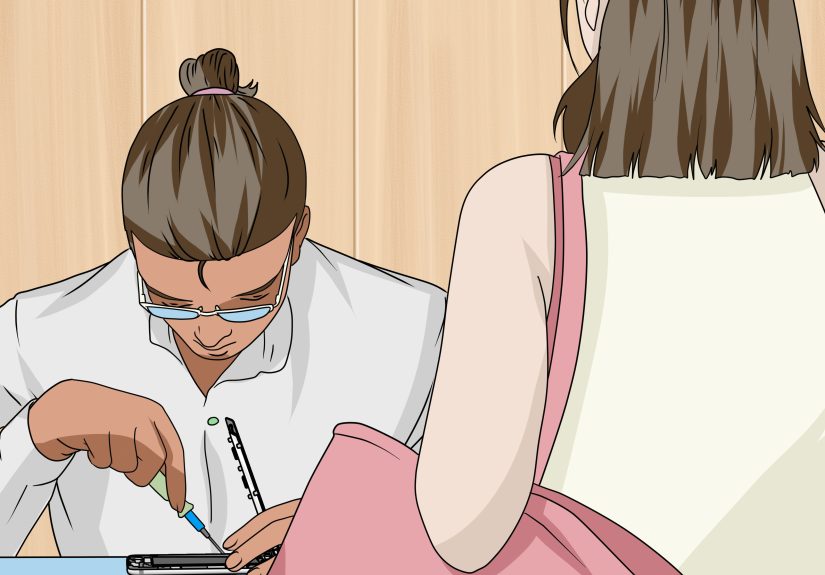
DIY screen repair is possible for some models, but it’s not a beginner craft. You can damage internal cables, compromise sealing, or end up with a screen
that looks fine but behaves weirdly (touch issues, poor brightness, discoloration).
If you’re considering DIY, be honest about your comfort level. If you’ve never opened a phone before, a cracked screen is not the ideal “first date” with a
heat gun and tiny screws.
Step 7: What Not to Do (Because the Internet Is Full of Chaos)
When your screen cracks, you’ll see “hacks” that range from mildly helpful to aggressively cursed. Here’s what to skip:
- Ignore it completely: cracks tend to spread, and loose glass can become a safety issue.
- Use random oils or coatings to “hide” cracks: it doesn’t protect the phone and can create a greasy mess.
- Rely on “liquid screen protector” miracle claims: these don’t replace real glass protection for impact damage.
- Press hard to “flatten” the crack: that’s how you turn a crack into a shattered screen.
- Apply adhesives near openings: glue can seep into speakers, buttons, mics, and ports.
FAQ: Fast Answers to Common Cracked-Screen Questions
Will a screen protector stop the crack from spreading?
It can help, especially for small cracks, by adding structural support and preventing snagging. Tempered glass protectors are often more impact-resistant
than plastic film. But if glass is missing or the surface is uneven, adhesion may be poor and the crack can still worsen.
Is tape actually okay?
As a short-term safety layer, yesclear tape can reduce the risk of cuts and keep tiny shards from lifting. It’s not a real repair, and it may leave residue
when removed. Think “temporary bandage,” not “long-term solution.”
Can I still use my phone in the rain?
Don’t count on it. Water resistance can decrease with wear, and a crack makes it easier for moisture to enter. Treat your phone as more vulnerable than it
was before the crack.
Should I repair the screen or replace the phone?
Consider (1) repair cost vs phone value, (2) how old the phone is, (3) whether you have coverage, and (4) whether the crack affects usability. If the phone
is older and the repair is expensive, trade-in or replacement may be the more practical move. If it’s newer, repair often makes sense.
Will a screen repair erase my data?
Often it won’t, but you should always back up first. Some repair processes, diagnostics, or device replacements can result in data loss. Backup is your
safety net.
Real-World Experiences: 4 Scenarios (and What They Teach You)
People tend to learn cracked-screen wisdom the same way they learn not to touch a hot pan: once, dramatically, and then forever. Here are a few common
real-life scenarios and the practical lessons that come with them.
1) The “tiny corner crack” that turned into a full spiderweb
This usually starts with a drop that seems harmless. The phone still works, and the crack is small, so it feels easy to ignore. Then the phone rides in a
tight jeans pocket, gets lightly bumped on a countertop a few times, and suddenly the crack spreads across the screen like it’s trying to win a contest.
Lesson: small cracks are structural weak points. A case with a raised lip plus a real screen protector early can slow down the spread and
reduce the chance of the next bump becoming “the bump that ended it.”
2) The “tape saved me” week (until repair day)
A lot of people end up using clear tape when they can’t get a screen protector to stick to a cracked surface. It’s not glamorous, but it can make the phone
safer to use and buy you time. The win here is that tape reduces sharp edges and helps keep tiny shards from lifting. The downside is that tape collects
lint, feels rough at the edges later, and may leave residue. Lesson: tape is an effective short-term safety layer, but it’s not a
substitute for either a screen protector or a repair plan. Use it as a bridge, not a lifestyle.
3) The “bathroom humidity” surprise
This one catches people off guard: the phone was “water-resistant,” so shower steam or a light splash seems harmless. But cracks and normal wear can weaken
resistance, and moisture can slip in through compromised areas. The result might be display glitches, touch issues, or random behavior that shows up hours
laterright when you’re trying to order food or prove you’re not late. Lesson: after a crack, treat the phone as more vulnerable. Keep it
away from steam, sinks, rain, and poolside danger zones. If you absolutely must be in wet environments, use a protective pouch and keep the phone out of
direct exposure.
4) The “repair vs replace” decision that actually felt good
Many people assume repair is always the best choiceuntil they price it out for an older phone. When the repair cost is a big chunk of the phone’s current
value, replacing (or trading in) can be smarter. On the other hand, for newer premium phones, repair often preserves a device that still has years of life.
Lesson: do a simple comparison: repair cost vs replacement cost (minus trade-in value), and factor in whether you have insurance or a
protection plan. The “best” decision is the one that matches your budget and avoids throwing good money after bad.
The bigger pattern across all these scenarios is simple: the sooner you stabilize the surface (tape/film/protector), protect the phone structurally (case),
and protect your data (backup), the less likely you are to end up with a cracked screen turning into a dead phone at the worst possible time.
Conclusion: Your Crack-Containment Game Plan
A cracked phone screen isn’t just cosmeticit’s a structural problem that can worsen with pressure, drops, dust, and moisture. The best approach is
practical: back up your data early, stabilize the surface (tape or a quality protector), add a protective case with a raised lip, and keep the phone away
from water and bending. Then choose a repair path based on your phone’s age, your coverage, and your budget. Do those things, and your cracked screen
becomes a manageable inconveniencenot a financial jump scare.